A Native Rich Document Studio For Android.
Text to PDF handles complete offline document production. Compose deep textual sheets, inject rich typography palettes, embed scaled imagery, and export high-resolution PDFs directly on your device.
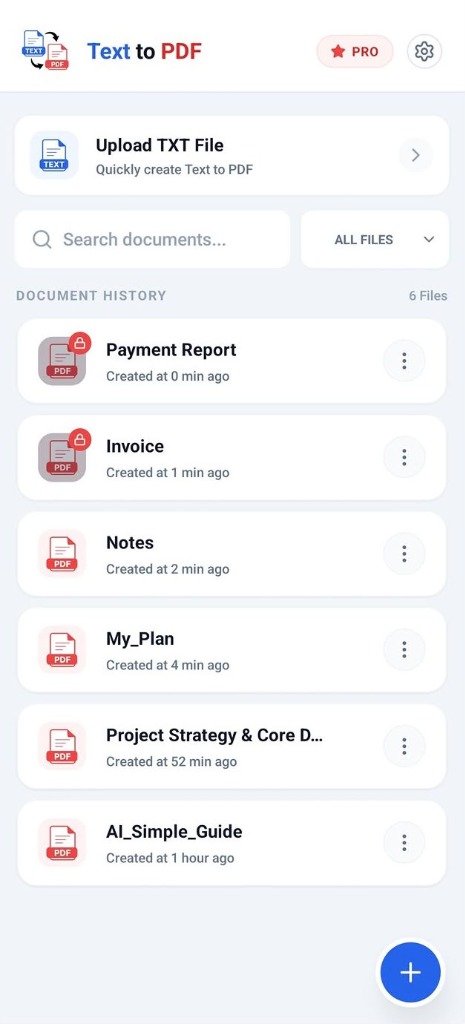
ENGINE ACTIVE
Document History & TXT Stream
Why Ordinary Mobile Note Apps Fall Short
Default phone notepads don't offer proper document formatting, image width scaling, or print-ready PDF export settings. Text to PDF gives you a complete document studio in your pocket.
Everyday Limitations
- ✕No Image Width Controls: Embedded photos stretch awkwardly and break paragraph layout flows.
- ✕Uncontrollable Page Margins: Exported PDFs look amateurish with awkward cut-offs across page breaks.
- ✕Forced Cloud Syncing: Private drafts and personal records are needlessly synced to third-party servers.
- ✕Zero .TXT File Import: You have to manually copy-paste long files with broken line wraps.
The Studio-Grade Conversion
- Granular Image Width Sliders: Seamlessly scale embedded pictures from 20% to 100% canvas width.
- WebView Rich Text Formatting: Full control over headings, blockquotes, highlights, and custom hex colors.
- Raw .TXT File Stream Parsing: Import large text documents directly with auto-preserved line breaks.
- 100% Offline Device Sandboxing: Up to 50,000 characters managed with zero external server tracking.
Three Steps from Raw Text to PDF
Compose, customize, and compile documents offline on your Android phone.
Type or Import Text
Type directly inside the clean canvas, paste content from your clipboard, or import raw text (.txt) files using the Android file picker.
Format & Scale Media
Apply custom typography, highlight palettes, bold headers, and insert gallery pictures with granular 20% to 100% width scaling sliders.
Compile & Share PDF
Export crisp 300 DPI multi-page PDF files instantly. Save to local storage or share with one tap via WhatsApp, Gmail, or Google Drive.
Functional Architecture
Engineered for precision document layout and zero-cloud privacy.
WebView Rich Text Engine
Toggle formats dynamically. Supports complex typography trees, alignment matrices, custom blockquotes, listings, and nested header styles.
Image Width Spec Sliders
Embed base64 media buffers straight from your gallery. Scale layouts dynamically using granular width specifications from 20% to 100%.
Document Log Retention
Built-in local storage state handlers track existing document unique IDs. Update earlier compilation logs or re-export active strings smoothly.
Raw File Stream Parsing
Import raw text (.txt) files directly from external storage. The engine safely parses structural strings and converts line breaks into clean views.
Custom Canvas Palettes
Go beyond standard font matrices. Inject bespoke foreground colors and background highlight hex tones into active cursor selections.
Zero Cloud Exposure
Max document sizes up to 50,000 characters managed fully offline. Data safety runs entirely inside native Android sandbox barriers.
Built For Seamless Productivity
See how users leverage Text to PDF every day for fast document production.
Students
Convert research essays, class notes, and revision sheets into cleanly formatted PDFs with embedded diagram illustrations.
Writers & Authors
Format book drafts, poetry compilations, and articles with rich typography controls and re-editable document logs.
Business & Legal
Create contracts, NDAs, project quotes, and meeting minutes offline without uploading confidential records to cloud servers.
Developers
Import raw code dumps, log outputs, and .txt files to produce clean, monospaced PDF reports for team reviews.
Frequently Asked Questions
Answers to key workspace and document converter behaviors.
Start Converting Your Text Today.
Download Text to PDF from the Google Play Store and experience studio-grade document compilation with 100% offline security.