Turn Handwritten Notes into Studio-Quality PDFs & Text.
Digitize class lectures, notebook sketches, homework assignments, and whiteboard memos with zero shadow or glare. Clean paper backgrounds, sharpen pen strokes, and export multi-page PDFs instantly.
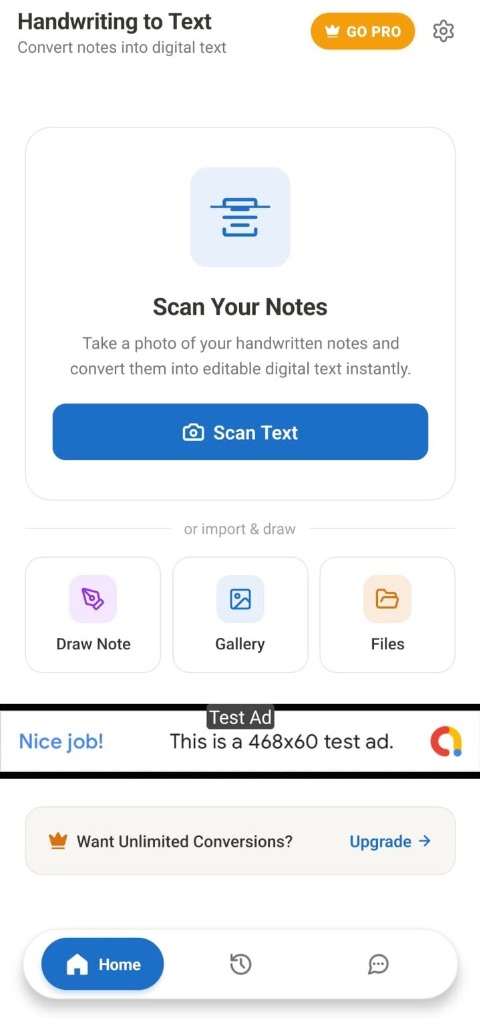
ENGINE ACTIVE
OCR & Document Stream
Designed for Readable, Professional Documents
Standard gallery pictures of handwritten pages are hard to read, look unprofessional, and take up huge file space. Handwriting to Text fixes every single flaw.
Raw Phone Photos
Messy, Unreadable & Dark
- •Dark camera shadows from hand, body, or poor desk lighting.
- •Yellowed paper background with visible notebook page bleed-through.
- •Faded blue or pencil strokes that look washed out when printed.
- •Huge 10MB+ photo file sizes that clog up email attachments.
Handwriting to Text Engine
Clean, High-Contrast & Studio Crisp
- •Instant Shadow Removal: Eliminates phone shadows automatically.
- •Pure White Paper Background: Removes desk clutter & wrinkles.
- •Deepened Ink Stroke Threshold: Makes light pen/pencil lines jet-black.
- •Compact Multi-Page PDFs: Compresses high-res 300DPI documents down to under 2MB.
Three Steps from Paper to PDF
No complex settings or editing skills required. Capture, polish, and export in seconds.
Snap Notes
Take pictures of handwritten notebook pages, textbook assignments, or whiteboard sketches using the built-in shutter.
Enhance Ink & Crop
The smart binarization filter automatically detects borders, crops out desk edges, strips shadows, and sharpens pen strokes.
Export Studio PDF
Compile pages into a single high-resolution PDF document ready to email, share to Google Drive, or print directly.
Built for Students, Educators & Professionals
Every feature is fine-tuned for high-speed scanning and flawless document rendering.
Adaptive Thresholding
Dynamically separates ink strokes from paper noise, background texture, and phone shadows with zero manual adjustment.
300 DPI Studio Resolution
Export in crystal-clear print resolution suitable for formal academic submissions, homework, and professional archives.
Batch Page Management
Combine an unlimited number of pages into a single organized PDF file. Rotate, delete, duplicate, or reorder pages via an effortless drag-and-drop grid.
Privacy-First Architecture
100% on-device processing. Your handwritten notes, sketches, and personal documents never touch remote cloud servers.
Custom Watermarking
Protect your intellectual property by adding custom text watermarks, copyright notices, or signatures to exported pages.
One-Tap Instant Sharing
Send PDFs with one tap to WhatsApp, Google Drive, Gmail, Telegram, or send directly to WiFi printers connected to your local network.
Who Uses Handwriting to Text?
Discover how different users rely on Handwriting to Text every day.
Students
Scan handwritten class lectures, math formulas, textbook notes, and submit homework PDFs to Google Classroom in minutes.
Teachers
Digitize handwritten question papers, grade exam scripts, and assemble clean digital study handouts for your students.
Professionals
Capture whiteboard brainstorming sessions, client meeting minutes, signed agreements, and journal entries with zero friction.
Creators & Artists
Archive hand-drawn concept sketches, ink illustrations, calligraphy, and notebook drafts into permanent high-resolution PDF archives.
Frequently Asked Questions
Everything you need to know about the Handwriting to Text converter.
Start Converting Your Notes Today.
Download Handwriting to Text from the Google Play Store and experience studio-grade document digitization with 100% offline security.